The right charger is the one that speaks the same fast-charging language as your device. For most phones bought in the last few years that means a USB-C charger with USB Power Delivery (USB PD) of 20 to 30 W. Tablets are happy with 30 W or so, and laptops that charge over USB-C usually want 45 to 100 W.
A bigger charger is not dangerous for a smaller device: the phone only draws what it can use. A charger that is too small, on the other hand, simply charges slowly, or in the case of a laptop may not keep up while you work.
This guide explains watts and fast-charging standards, cables, wireless charging and how to charge safely. You can compare wall, car, wireless and console chargers in the chargers range.
Watts, volts and amps
Charging power in watts is volts multiplied by amps. Old USB ports deliver 5 V at 0.5 to 2.4 A, so at most about 12 W. Fast-charging standards raise the voltage, the current or both once the charger and device have agreed what is safe.
| Device | Typical fast-charge power | What to look for |
|---|---|---|
| Earbuds, smartwatch | 5 W or less | Any USB port or the supplied cradle |
| Smartphone | 18 to 30 W, some up to 45 W | USB-C with Power Delivery |
| Tablet | 20 to 45 W | USB-C with Power Delivery |
| Small laptop | 45 to 65 W | USB-C PD, check the laptop’s rating |
| Large laptop | 65 to 140 W and more | USB-C PD with a suitable cable |
Charging speed also slows down as the battery fills. Most phones charge fastest from empty to about half, then reduce power to protect the battery. Drones, cordless tools and some cameras use their own battery packs and dedicated chargers instead of USB, as with many DJI accessories.
USB Power Delivery, Quick Charge and older ports
- USB Power Delivery is the common standard over USB-C. It covers phones, tablets and laptops, and supports up to 100 W in its standard range and up to 240 W in the newer extended power range on compatible chargers and cables.
- Qualcomm Quick Charge is used by many Android phones and often appears on USB-A chargers such as the Anker PowerPort+ 1 with Quick Charge 3.0. Many newer phones also support USB PD.
- Plain USB-A ports are fine for small gadgets, earbuds and older phones. A two-port charger such as the Anker 24 W 2-port wall charger shares its total output between both ports.
If you want one charger for everything, a multi-port USB-C PD charger is the most flexible choice. Check how it splits power when several devices are connected: a 65 W charger might give 65 W to one laptop but only 45 W and 20 W when you plug in a phone as well.
Choosing the right cable
The cable matters as much as the charger.
- Connector. USB-C to USB-C for modern devices, USB-C to Lightning for older iPhones, USB-A to USB-C for older chargers.
- Current rating. Most USB-C cables carry up to 3 A, which is 60 W at 20 V. For 100 W you need a 5 A cable with an e-marker chip, and for the extended range up to 240 W a cable rated for it.
- Length. Long cables are handy by the sofa, but very long, thin cables can lose a little power.
- Build. Braided cables and reinforced strain reliefs, as on the Anker PowerLine Select+ USB-C cable, last longer in daily use.
More cables and chargers are in the Anker range.
Wireless charging
Wireless chargers use the Qi standard from the Wireless Power Consortium. You lay a compatible phone or earbud case on a pad or stand, and a coil transfers power. The newer Qi2 standard adds magnets that align the phone with the coil, which makes charging more reliable.
Wireless charging is convenient on a bedside table or desk, as with the SACKit CHARGEit dock, but it is slower and less efficient than a cable, and some energy is lost as heat. Thick cases, metal plates and card wallets can stop it working. Use the wall plug recommended by the pad’s maker, because many pads only reach full speed with a fast-charging adapter.
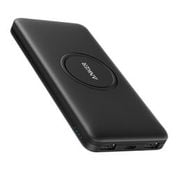
For charging on the move, a power bank is more practical; the guide to choosing a power bank covers capacity and flying rules, and the power banks range has models with wireless pads built in.
Charging safely
Electrical Safety First advises buying chargers from reputable retailers rather than unknown third-party sellers, because counterfeit and substandard chargers carry a higher risk of fire and electric shock. Its other advice:
- Follow the manufacturer’s instructions and use the charger only for its intended purpose.
- Charge in an uncovered, well-ventilated place, away from heat, liquids and direct sun.
- Unplug once the device is charged, and do not charge overnight or while you are out.
- Check chargers, plugs and sockets for burn marks, buzzing or excessive heat.
- Stop using a charger that smells, sparks, swells or is damaged, and contact the seller.
Check the plug type before you order. In the UK you need a charger with a UK three-pin plug; some chargers sold online come with a European plug, which needs a proper adapter. Register new chargers with the manufacturer so you can be told about recalls.
Quick checklist
- USB-C Power Delivery for modern phones, tablets and laptops.
- 20 to 30 W for a phone, 45 W or more for a laptop.
- A multi-port charger if you charge several devices.
- A 5 A e-marked cable for 100 W and above.
- A UK plug, or a proper adapter.
- Wireless for convenience, cable for speed.
- Buy from a reputable seller and do not charge overnight.
Common questions
Will a more powerful charger damage my phone?
No. USB PD and Quick Charge negotiate the power, so the phone only takes what it can handle. A 65 W charger will charge a phone at the phone’s own maximum.
Why does my phone charge slowly with some cables?
The cable may be rated for low current, damaged, or missing the wires needed for fast charging. Try a known good USB-C cable rated for at least 3 A.
Is wireless charging bad for my battery?
It produces more heat than wired charging, and heat ages lithium batteries. Use a quality charger, remove thick cases and avoid charging in hot places to keep temperatures down.